A guided tour · Live on the App Store
Every screen, in detail.
Eight sections, in order — what the app actually does, claim by claim. Composed iPhone + iPad mockups for each. Nothing is promised that the app does not already do; every feature listed here ships in v1 on the App Store.
01 · Stations & Detail
Watched airports, and what each one really looks like.
The default screen shows your watched airports grouped the way you keep them in your head — Home Base, this trip, currency-tracking. Each row gives you the FAA category, wind, visibility, ceiling, the last-update time, and the runway that best fits the current wind. Tap a row for the full station detail: METAR and TAF decoded, twelve-hour meteogram, per-runway crosswind components, NOTAMs ordered by impact, frequencies, and recent PIREPs within fifty miles.
- 01 Watched airports grouped by user-defined collections
- 02 Current FAA category pill (VFR · MVFR · IFR · LIFR)
- 03 Wind, visibility, and ceiling summary at a glance
- 04 "Best runway" recommendation from wind components
- 05 Per-station alert badge when a rule is breached
- 06 Station detail: METAR, TAF preview, meteogram, runways, NOTAMs, frequencies, PIREPs
- 07 iPad: master-detail layout with three-column station detail
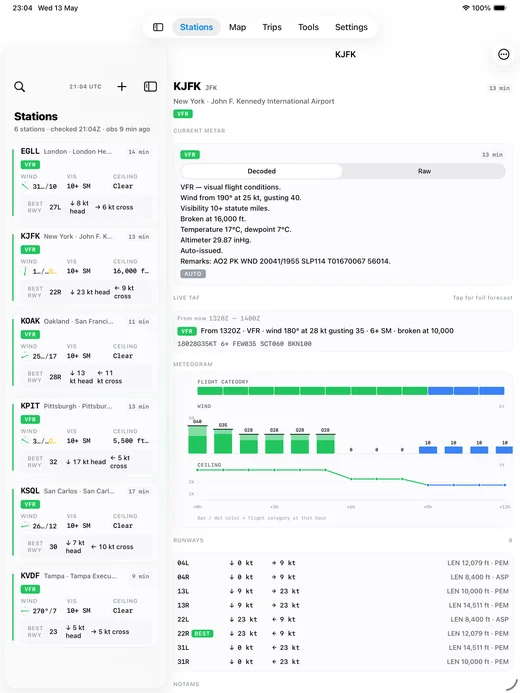
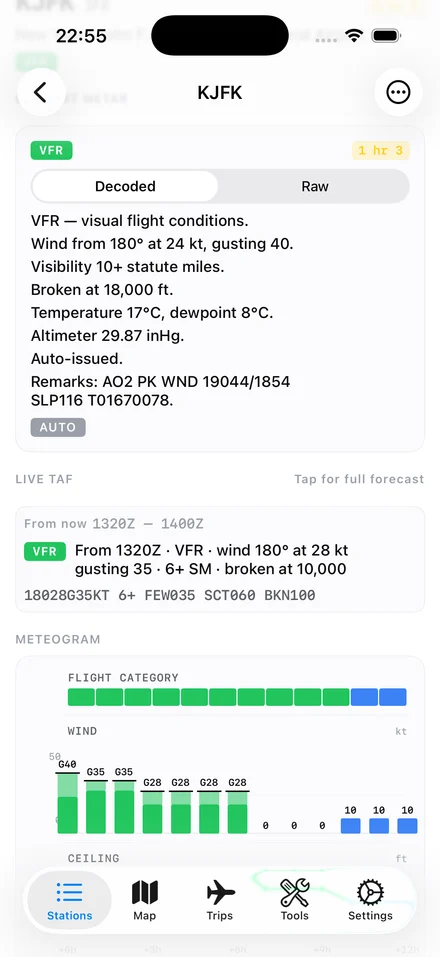
01 · Station Detail · KJFK
02 · Forecasts & TAF
TAFs you can scrub through, in English.
A full-screen TAF reader with a scrubbable timeline. Drag a needle along the forecast period and the screen tells you, in plain English, what is expected at the moment you stop. Period cards below the timeline are tagged FM, BECMG, TEMPO, and PROB30/40. The parser handles international TAFs out of the box — EGLL, EHAM, the lot.
- 01 Scrubbable timeline with a plain-English readout
- 02 Period cards labelled FM · BECMG · TEMPO · PROB30/40
- 03 International TAF support (non-US formats parsed correctly)
- 04 Decoded sentence first; raw text on tap
- 05 Bound to the same watched-stations list as the home screen
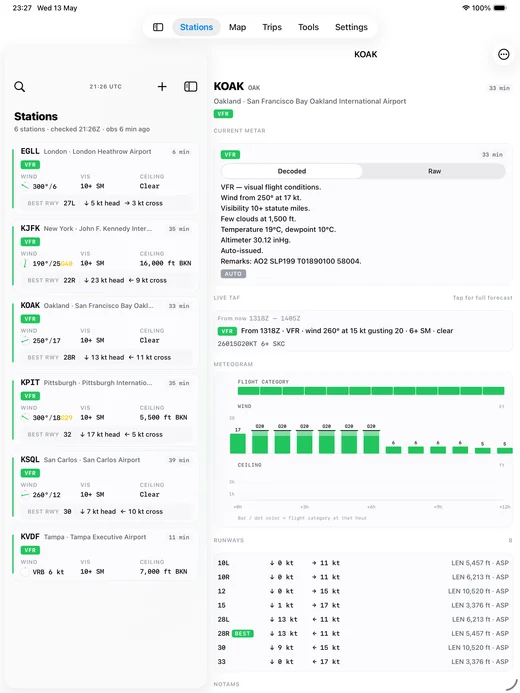
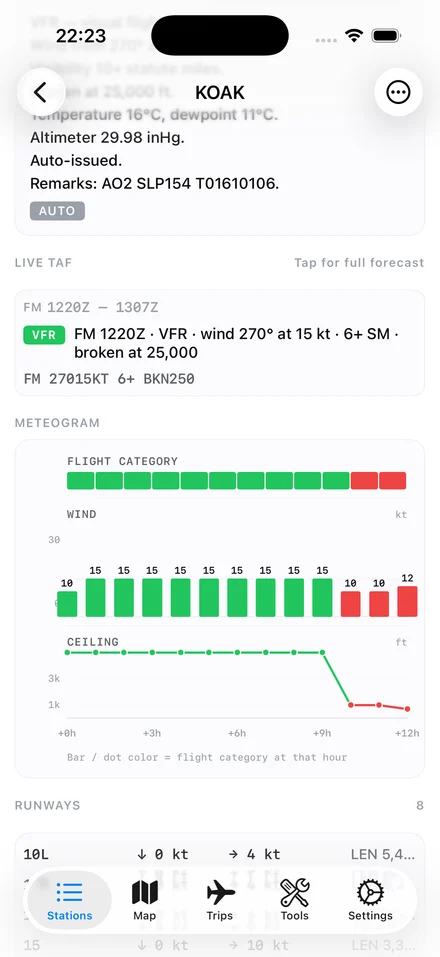
02 · Live TAF — KOAK
03 · Map & Radar
Radar, polygons, watched stations, PIREPs — one map.
MapKit base with the weather layers a pilot actually uses on the ground. NEXRAD radar in the US and RainViewer worldwide, both with a time scrubber. SIGMET and AIRMET polygons overlay where they matter. Watched-station markers carry their current FAA category color, and PIREPs within fifty miles in the last two hours render with severity-coded badges. On iPad, a sidebar gives you the watched-station rail alongside the map.
- 01 NEXRAD radar (US) and RainViewer (worldwide) with a time scrubber
- 02 SIGMET / AIRMET polygons
- 03 Watched-station markers in their current FAA category color
- 04 PIREP markers within 50 NM, last 2 hours, severity-coded
- 05 Bottom-right layer toggles; station peek sheet on tap
- 06 iPad: sidebar with the watched-station rail
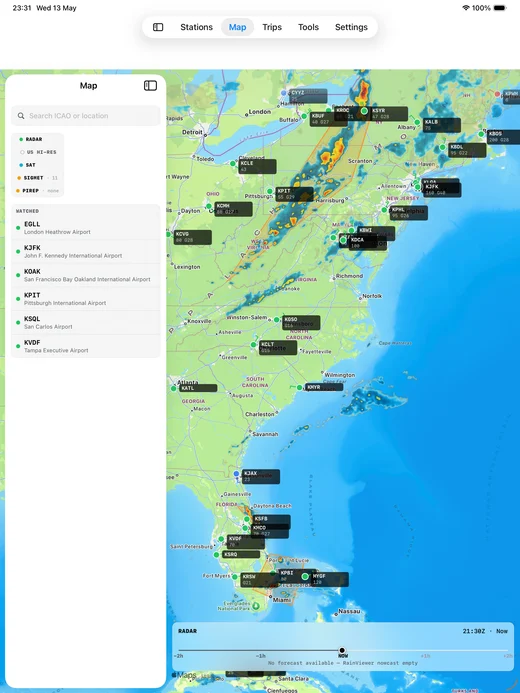
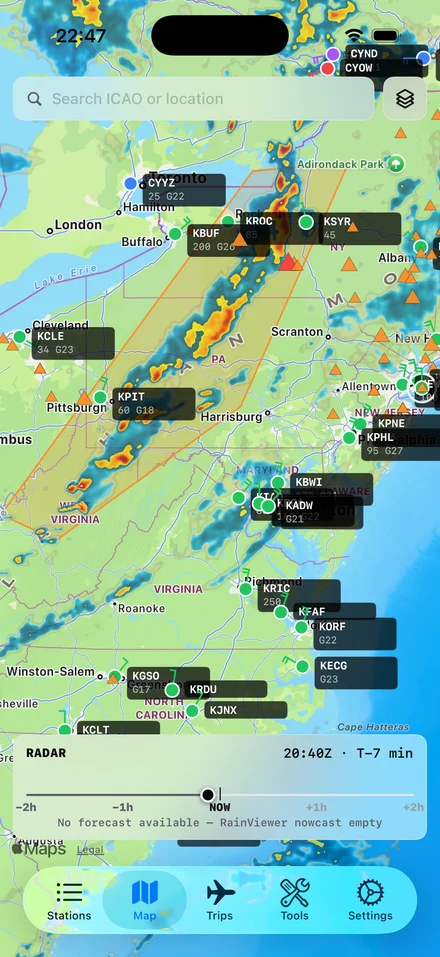
03 · Map with watched stations + radar
04 · Brief & Trips
A go / no-go verdict at the top of every brief.
The pre-flight brief stacks departure, destination, and an optional alternate, with a personal-minimums verdict at the very top: GO, NO-GO, or CHECK. The engine reads cached METAR, TAF, and the limits you set on the day you built the app, then says the answer. Trips bundle a departure, destination, optional alternate, tail number, and cruise speed — the brief binds to whichever trip you have selected.
- 01 GO · NO-GO · CHECK verdict at the top of every brief
- 02 Departure, destination, and (optional) alternate stacked
- 03 Reads cached METAR + TAF + your personal-minimums profile
- 04 Trips list, new-trip form, trip detail with map preview
- 05 Tail number and cruise speed per trip
- 06 Single alternate in v1; multi-alternate planned
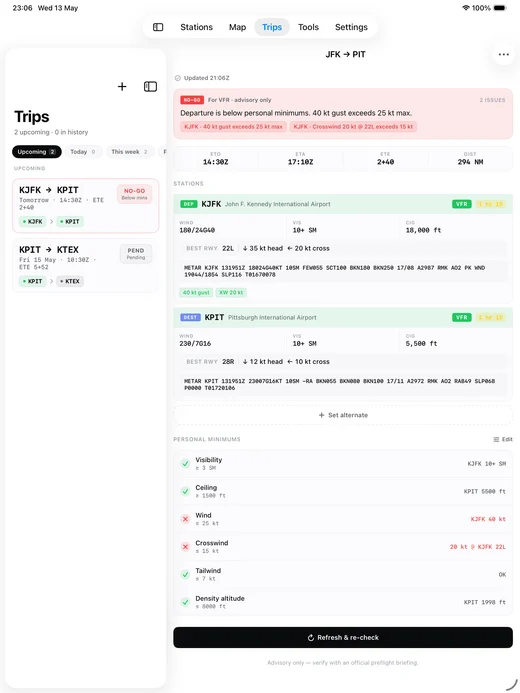
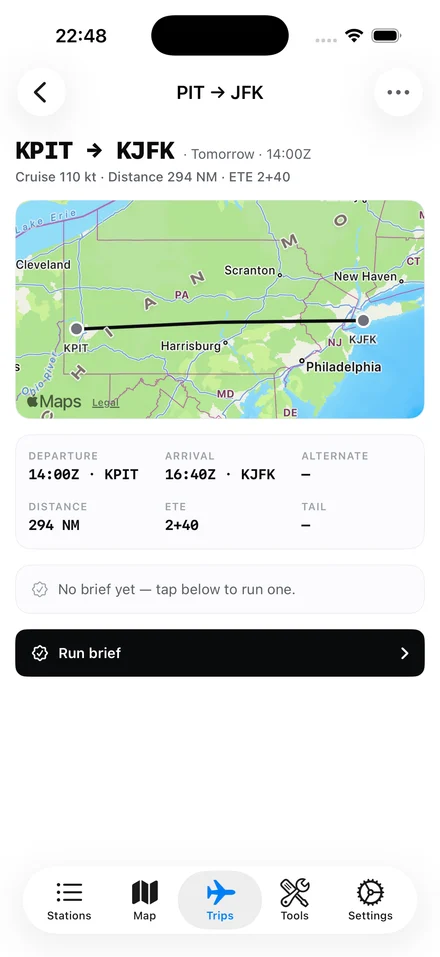
04 · Trip detail · KPIT → KJFK
05 · Tools
Seven calculators that live inside the app, too.
A dedicated tools tab with the calculations pilots actually run on the ground. Density altitude, pressure altitude, wind components, a crosswind quick-reference table, true airspeed and Mach, an aviation unit converter, and sun-and-civil-twilight for an airport on a date. The same seven calculators are also on this website — useful when you want a quick number without unlocking the phone.
- 01 Density altitude · pressure altitude + temperature → DA
- 02 Pressure altitude · altimeter setting + field elevation → PA
- 03 Wind components · wind dir/speed + runway heading → HW / XW
- 04 Crosswind quick-reference matrix
- 05 TAS / Mach · IAS + altitude + temp → true airspeed and Mach
- 06 Aviation unit converter across common families
- 07 Sun & civil twilight for an airport on a given date
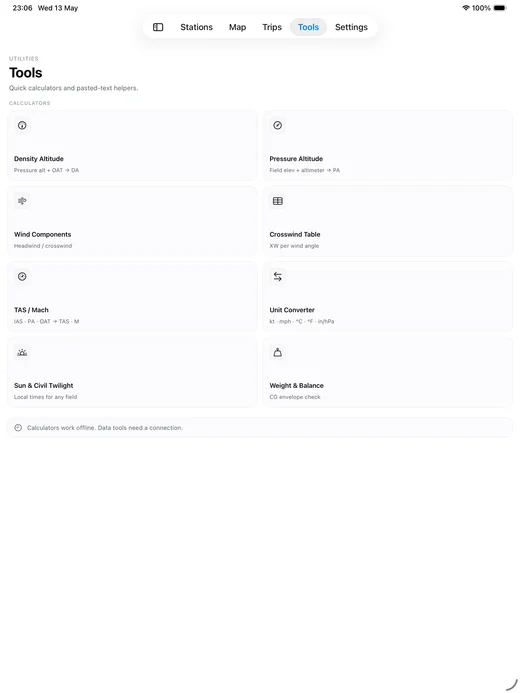
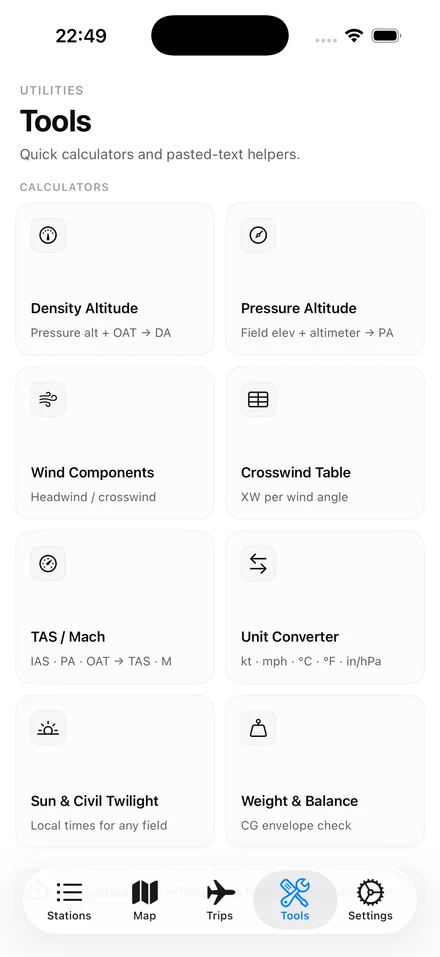
05 · Tools tab — eight calculators
06 · Alerts & Widgets
Find out when conditions move — before you go to the car.
Configure rules per watched station — category drops below VFR, wind exceeds 15 kt, visibility drops under 3 SM — and the app raises a foreground notification when something matches. Background refresh keeps things fresh on its own schedule, coalesced per-station with a cooldown and quiet-hours window. iOS home-screen widgets give you the same picture in glance form: a small widget for one station, a medium widget for your top four.
- 01 Per-station rules: category, wind, visibility, ceiling
- 02 Foreground notifications via UNUserNotificationCenter
- 03 Background refresh via BGTaskScheduler (every 30 min minimum)
- 04 Per-station coalescing, cooldown, and quiet hours
- 05 Small widget: one station — category, wind, vis, ceiling, age
- 06 Medium widget: top four watched stations side-by-side
- 07 Home base always slot 0
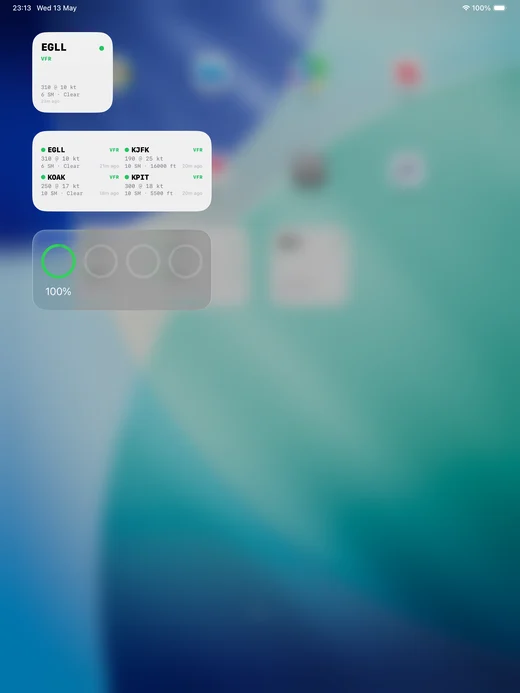
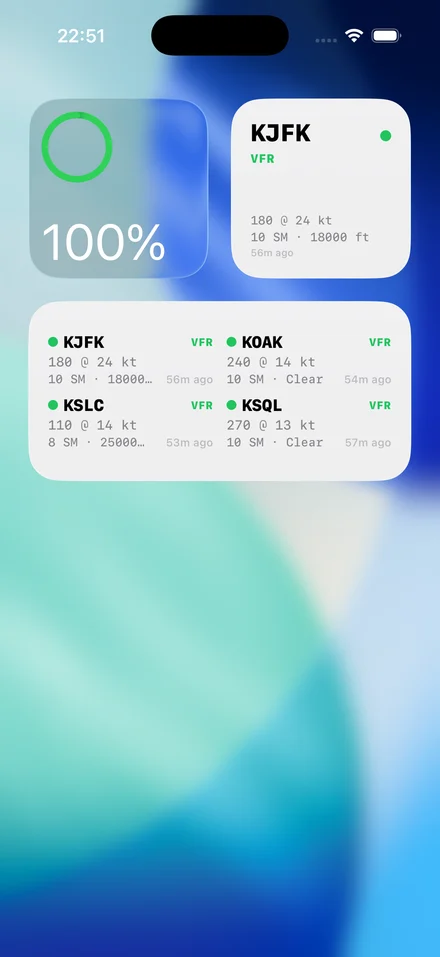
06 · Widgets on Springboard
07 · Settings
Personal Minimums is the load-bearing setting.
Most settings screens are administrivia. This one is not — Personal Minimums is the value that organizes every screen in the app. Set your limits once, and the rest of the app reads them: home-screen color tints, brief verdicts, alert thresholds, runway recommendations. The rest of the screen handles the usual: profile, aircraft, theme, Zulu or local time, notifications, offline cache, and an About section.
- 01 Personal Minimums — ceiling, visibility, wind, crosswind
- 02 Preset chips: Student · Recreational · Experienced · Custom
- 03 Profile and pilot details
- 04 Aircraft list
- 05 Display: light / dark / system
- 06 Time: Zulu or local
- 07 Notifications and quiet-hours settings
- 08 Offline cache controls
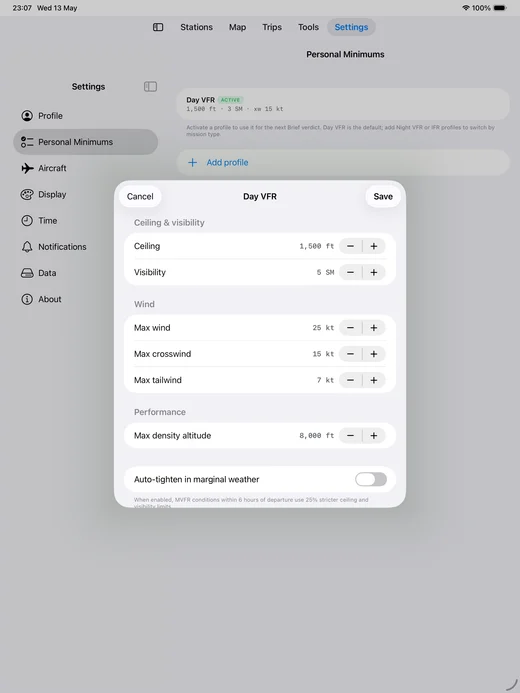
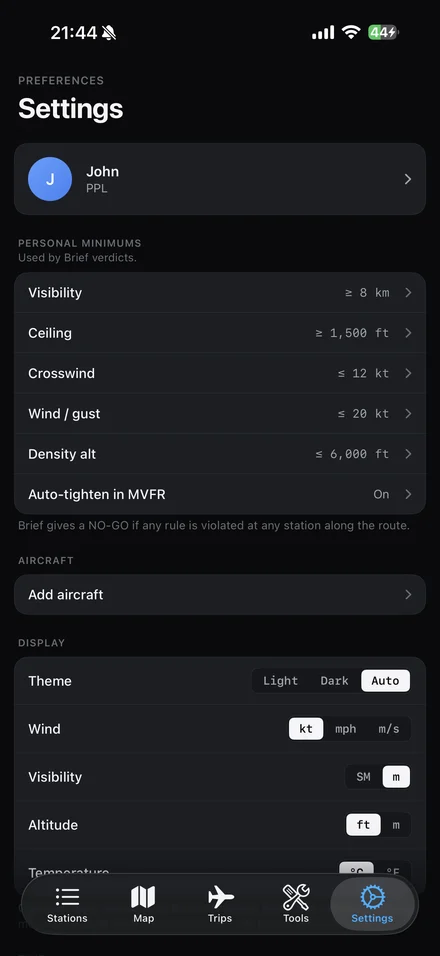
07 · Settings · Personal Minimums
08 · Onboarding
Four panels, then a mandatory advisory, then you fly the app.
The first-launch flow is intentionally short. Welcome, then pick the airports you watch, then set your personal minimums — preset chips for Student, Recreational, or Experienced, plus a slider for fine-tune — and then a notifications opt-in. The final panel is the Before-you-fly advisory: a planning aid is not a substitute for an official briefing, and the pilot in command remains responsible.
- 01 Welcome panel
- 02 Pick watched stations (uses the same search as in-app)
- 03 Set personal minimums with presets + slider fine-tune
- 04 Notifications opt-in
- 05 Mandatory "Before you fly" advisory
- 06 Five panels total; under sixty seconds to finish
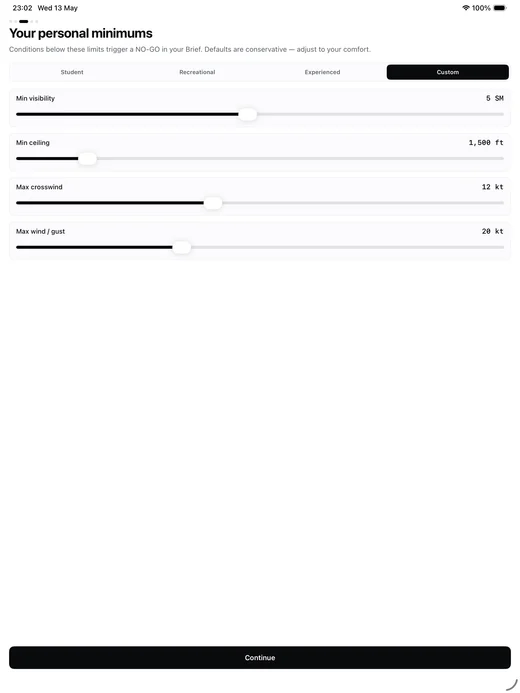
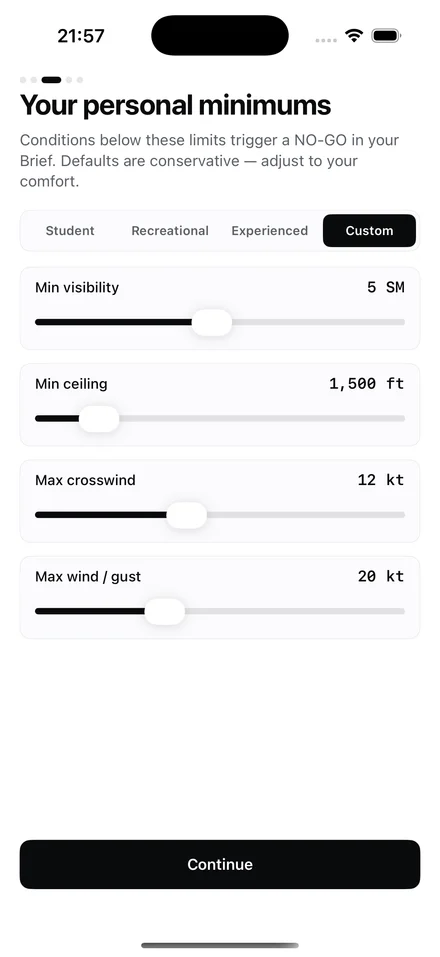
08 · Onboarding · personal minimums
Download
On the App Store.
iOS 18 and up.
iPhone and iPad. No accounts, no signup. The app is the whole product.
The newsletter
Occasional product updates and aviation-weather tips. Email only. No spam.